Umami - Recipe Manager
- 4.6
- Rating
- 10.00K
- Installs
- Free
- Price

 Analysis by App-foxy
I usually judge a recipe app by what happens on a tired weekday, not by how attractive its first screen looks. Can I get a recipe into it without fighting the interface? Can I turn a collection of saved dishes into a realistic plan? Can I still understand what I need to buy when my attention is somewhere else? Umami - Recipe Manager, developed by Strange Quark, is built around those practical questions. It is a free food and drink app for importing recipes and planning meals, and after spending time with it, I see it as a focused organizer rather than a complete cooking ecosystem.
That distinction matters. Umami is most appealing if your recipes are scattered across websites, notes, screenshots, and memory, and you want one place to bring them together. It is less compelling if you mainly want a social feed, professionally produced cooking lessons, restaurant discovery, or a highly automated grocery service. My experience was strongest when I treated it as a personal kitchen library: a place to collect dishes, decide what I will cook, and reduce the small amount of daily planning that usually causes takeout.
What I would consider before moving a recipe collection
The first decision is whether your problem is discovery or organization. If you need new ideas every night, a platform centered on videos, creators, or community activity may feel more lively. Umami takes a quieter approach. Its store summary points to importing recipes and planning meals, and that is exactly the lens through which I would evaluate it. The value grows as your own collection becomes more useful, not as you scroll through an endless stream of content.
You May Also Like

 AccuWeather: Weather Radar
AccuWeather Review: A Quick, Clear Forecast for Everyday Decisions
For everyday plans, the best forecast is the one you can understand quickly. AccuWeather makes rain timing, radar, and local conditions easy to act on, with a few trade-offs.

 Hill Climb Racing
Why Hill Climb Racing Still Turns Crashes Into One More Run
A tiny car, a bumpy hill and one more upgrade: Hill Climb Racing keeps resurfacing because its simple chaos makes every near-miss feel personal.

 AliExpress - Shopping App
AliExpress Makes Global Shopping Feel Personal, but Shoppers Bear the Risk
AliExpress turns a global marketplace into a pocket-sized discovery engine. Its reach is useful, its shopping loop compelling, and its trade-offs easy to miss.

 Lords Mobile: Kingdom Wars
Lords Mobile Is a Kingdom-Building Routine, Not a Quick Match
A case-by-case verdict on the building, battles, device demands, and social commitments that make Lords Mobile rewarding for some players and exhausting for others.

 PDF Scanner app - TapScanner
TapScanner Makes Paperwork Easier to Capture, Check, and Share
TapScanner makes scanning with a phone feel less like a rescue operation and more like a dependable step in getting work done. Its capture tools are useful, though not flawless.

 Block Blast!
 Shows How Much a Puzzle Game Can Leave Out
A quiet grid game shows why puzzle players increasingly value instant clarity, repeatable skill and low-pressure play—and where the genre still needs to catch up.
More From Our News Desk
View All News


The second question is how your recipes currently exist. A person with a handful of handwritten family recipes may not need a dedicated manager. Someone with dozens of bookmarked pages, copied notes, and dishes they repeatedly lose will understand the appeal much faster. Importing is the key promise here, but I would still expect to review imported entries rather than assume every recipe arrives perfectly organized. Web pages vary widely, and any tool that brings information from different sources can require a little cleanup.
I also looked at the planning side separately from the recipe library. Saving a dish is passive; planning asks me to make a decision about a real week. The useful test is whether the app helps me move from “that looks good” to “I know what I am cooking on Wednesday, and I have a reasonable idea of what belongs in the kitchen.” Umami makes that transition its central job, which gives it a clearer purpose than a basic bookmark folder.
There is also a personal tolerance issue. Some people enjoy building detailed systems with tags, categories, notes, and elaborate schedules. Others want to open an app, choose a meal, and get back to cooking. I found Umami better suited to the first group, although it can still serve the second if the collection stays simple. The more carefully I kept my recipes and plans, the more useful the app became.
How I used it in an ordinary week
My most revealing test was a busy week in which I had one evening for leftovers, one evening for a quick meal, and a little more time at the weekend. Instead of searching again for recipes I had already seen, I worked from the dishes I had imported. I could think in terms of the week rather than isolated meals, which changed the task from browsing to choosing. That sounds small, but it is the difference between collecting intentions and actually using them.
A practical workflow is to import recipes when you encounter them, then plan only a few days ahead. I would not try to build a perfect month immediately. A smaller plan is easier to adjust when work runs late, ingredients disappear, or the family changes its mind. Umami works best when the plan reflects real life instead of becoming another obligation to maintain.
One useful habit is to separate “interesting” from “likely to cook.” I kept tempting dishes in the wider collection, but selected familiar, manageable recipes for the immediate plan. That prevents the meal planner from becoming a display of ambitions. It also makes the app more honest: a recipe is valuable because I can find and prepare it at the right time, not merely because I saved it.
I would also import recipes in batches only after deciding how I want to use them. Bringing everything in at once can create a large, noisy library. Starting with dependable breakfasts, weeknight dinners, and a few special-occasion dishes makes the planning experience easier to read. This is one of the less obvious trade-offs: the importing feature can save time, but an unedited collection can still leave me with too many choices.
Where the recipe manager feels strongest
Umami’s biggest strength is that it connects two jobs that are often separated. A bookmarking tool helps me remember a recipe, while a calendar or notes app helps me decide when to cook it. Keeping those activities together reduces the gap between saving food ideas and acting on them. I do not have to remember which folder, note, or browser tab contains the dish I intended to make.
That makes the app particularly useful for repeat cooking. If I have a dependable soup, a favorite pasta, or a reliable tray-bake, I want quick access to the recipe without searching the web again. A personal library also gives me a better starting point than a generic search result because it reflects what I have already considered suitable for my household.
The app’s focused nature is another advantage. I did not approach it as a social network or a cooking school, so I was not distracted by features unrelated to planning. For someone who already knows how to cook and mainly needs a calmer way to organize recipes, that restraint can feel refreshing. The experience is about my food collection, not about keeping up with other users.
Its free price also lowers the barrier to trying the workflow. Umami is available at no charge, with optional in-app purchases ranging from under a dollar to several dozen dollars per item. I would begin with the free experience and decide whether the planning habit genuinely improves my routine before spending anything. That is a sensible approach for an organizer, because its usefulness depends more on fit and consistency than on a single impressive feature.
The app is rated for Everyone, which matches the straightforward subject matter and makes it suitable for a household where different people may need to look at recipes. I would still judge it by the person using it: an age rating does not tell me whether the organization style feels natural. For a family, the real question is whether everyone can understand the plan and locate the chosen dishes without needing a separate explanation.
Importing is convenient, but review the results
The most important practical caution is not to confuse importing with perfect preparation. Recipes found online often contain extra text, unusual formatting, or instructions that assume a particular ingredient brand or kitchen setup. After bringing a recipe into Umami, I would read through it once, check the ingredients, and tidy anything that could cause confusion later. That small review is especially worthwhile for recipes I expect to repeat.
I found a good use for this step beyond basic correction: I could turn a recipe into something that matches the way I actually cook. If an instruction is too vague, I can make a note for myself. If I always substitute one ingredient, I can remember that before shopping. If the original recipe is written for an occasion rather than a normal evening, I can decide whether it belongs in my regular plan. The app becomes more valuable when the library reflects my kitchen rather than merely copying the internet.
This is also where Umami differs from simply saving browser tabs. A tab preserves a page, but it does not necessarily become part of a deliberate cooking system. An imported recipe can be considered alongside other meals when I plan. The trade-off is that I take on responsibility for keeping my entries understandable. I gain control, but I should not expect the app to remove every bit of editorial work.
Planning meals without making the week rigid
Meal planning can fail when it treats every day as fixed. My better results came from leaving room for leftovers, energy levels, and ingredients that need using first. I would place the most time-sensitive meals earlier, keep an easier option for a demanding day, and avoid filling every available slot. Umami is useful here because it encourages me to look at meals as a sequence rather than as unrelated recipe searches.
A second practical tip is to plan by effort, not only by cuisine. Two elaborate recipes may sound varied, but they can make the week exhausting. I prefer pairing one involved meal with something familiar and quick. That is not a feature claim; it is a way of getting more from the app’s planning purpose. The manager gives me a place to make the choice, while the judgment about energy and time remains mine.
I would also keep a small group of fallback meals easy to reach. Plans change, and an app that makes me feel guilty for changing them is not helping. A flexible collection lets me replace a difficult dish without abandoning the whole week. This is one of the strongest reasons to use Umami over a rigid meal schedule: it can support a plan as a working draft rather than a promise I must obey.
Where a different kind of app may fit better
Umami is not the right choice for everyone. If your main goal is discovering recipes through short videos, following chefs, or interacting with a cooking community, a content-first service will probably feel richer. Those alternatives are designed to inspire and entertain; Umami is designed to help me manage what I have chosen. Neither approach is universally better, but they solve different problems.
A dedicated grocery-planning service may also be preferable if automatic shopping lists, store integration, household inventory, or strong budget tools are the deciding factors. I would choose that category when the hardest part of cooking is purchasing and tracking supplies. Umami makes more sense when the hardest part is remembering recipes and deciding what to cook. Before switching, I would identify the exact point where my current routine breaks down rather than assuming every food app offers the same kind of help.
People who already have a polished system in a notes app may not gain enough to justify moving. Notes are flexible, familiar, and easy to customize. The reason to choose Umami is not that notes are incapable of holding recipes; it is that a dedicated recipe manager gives the collection a more intentional home and ties it to meal planning. If I rarely plan ahead, that advantage may remain theoretical.
Likewise, highly methodical cooks may want a specialized tool built around nutrition calculations, strict dietary tracking, or professional kitchen workflows. I would not select Umami solely because it is in the food and drink category. Its appeal is narrower and more personal: importing recipes and organizing meals in a way that supports everyday cooking.
The real cost of changing systems
The financial entry point is easy because the app is free, but the larger cost is attention. Moving from bookmarks or notes means deciding which recipes deserve to come across, checking imported content, and learning a new planning habit. I would not migrate my entire history on the first day. A selective start lets me see whether Umami actually changes my behavior before I spend time polishing a library I may not use.
There is also a maintenance cost. Any recipe collection becomes less useful if it fills with duplicates, abandoned ideas, or dishes that no longer suit the household. I would schedule a short cleanup after a few weeks: remove recipes I never intend to make, adjust entries I found confusing, and keep the plan realistic. This is a small but important insight because organization apps often fail through neglect rather than through a lack of features.
Version 1.93 suggests an actively maintained product rather than an abandoned experiment, and the app has been available since February 15, 2024. It has gathered an average rating of 4.6 from roughly three hundred ratings, with more than a hundred written reviews, and has passed ten thousand installs. Those figures give me some confidence that people are using and evaluating it, but they do not replace my own test. A recipe manager is personal software: the right workflow matters more than popularity alone.
If I decide to leave later, the cost of switching depends on how deeply I have edited and relied on the collection. That is another reason to begin with a representative set of recipes. I can test importing, planning, and retrieval before making Umami the single source for everything. In my view, gradual adoption is safer than a dramatic one-day migration.
Who should install it first
I would recommend Umami to someone who repeatedly saves recipes but struggles to find them again. It is also a good candidate for a person who wants meal planning without joining a social cooking platform. Families and couples may appreciate having a shared-looking set of meal choices, while solo cooks can use the same structure to avoid making the same last-minute decision every evening.
It is especially suitable for a cook who already has favorite recipes and wants to make them more available. The app does not need to create a new culinary identity for me; it can help turn the dishes I already trust into a usable routine. That makes it more practical than an inspiration feed when my real problem is follow-through.
I would skip it for now if I want a complete food-management suite, if I strongly dislike reviewing imported material, or if I never plan meals and do not expect that to change. I would also look elsewhere if the main attraction for me is community interaction or step-by-step video instruction. Umami’s focused design is a benefit only when its focus matches the problem I want to solve.
My final recommendation is to try it with a small, purposeful collection: a few reliable meals, one or two recipes I genuinely want to test, and a short plan for the coming days. Use that trial to answer practical questions: Can I find a recipe faster than before? Does planning reduce weekday decisions? Do imported entries need more editing than I am willing to provide? If the answers are yes, Umami can become a dependable kitchen companion.
For me, the deciding advantage is the bridge between collecting recipes and actually scheduling them. It is not a replacement for every food app, nor does it need to be. As a free recipe manager from Strange Quark, Umami earns a recommendation when you want a personal, organized cooking library and a more deliberate meal routine. Start small, keep plans flexible, and let your own week—not the size of your recipe collection—decide whether it belongs in your kitchen.
FAQs for Umami - Recipe Manager
01What is Umami - Recipe Manager, and what can I use it for?
Umami - Recipe Manager is designed to help you collect, organize, and manage recipes in one convenient place. You can use it to save favorite meals, browse your personal recipe collection, review ingredients and preparation instructions, and keep cooking ideas easier to access. It is particularly useful for people who want to replace scattered notes, screenshots, or bookmarked webpages with a more structured recipe library.
02Can I add my own recipes to Umami - Recipe Manager?
Yes, the app is intended to support personal recipe management, so you can generally add recipes that you have created or found elsewhere. Depending on the version and platform, recipes may include details such as a title, ingredients, preparation steps, cooking time, servings, categories, and personal notes. Before downloading, check the current app listing to confirm which editing and importing options are available on your device.
03Does Umami - Recipe Manager work without an internet connection?
Many recipe manager features can be useful offline once recipes have been saved locally, allowing you to consult ingredients and cooking instructions in the kitchen without relying on a stable connection. However, online functions such as syncing, importing content, downloading updates, or accessing external recipe sources may require internet access. Offline availability can vary by platform and app version.
04Does Umami - Recipe Manager synchronize recipes between Android, iPhone, or other devices?
Synchronization depends on the specific version of Umami - Recipe Manager and the account or storage options it supports. Some releases may offer cloud synchronization or backup, while others may keep information only on the device. If you plan to use the app on multiple phones or tablets, review its current privacy, account, export, and backup details before assuming that your recipe collection will transfer automatically.
05Is Umami - Recipe Manager free to download, and are there any privacy concerns?
The app may be available as a free download, although pricing, optional purchases, advertisements, or premium features can differ between Android and iOS. Because a recipe manager may store personal notes, meal preferences, or account information, it is worth checking the permissions and privacy policy before installation. Also review whether your recipes are stored locally or uploaded to an online service.
Pros
- Clean
- distraction-free interface makes recipes easy to browse and read.
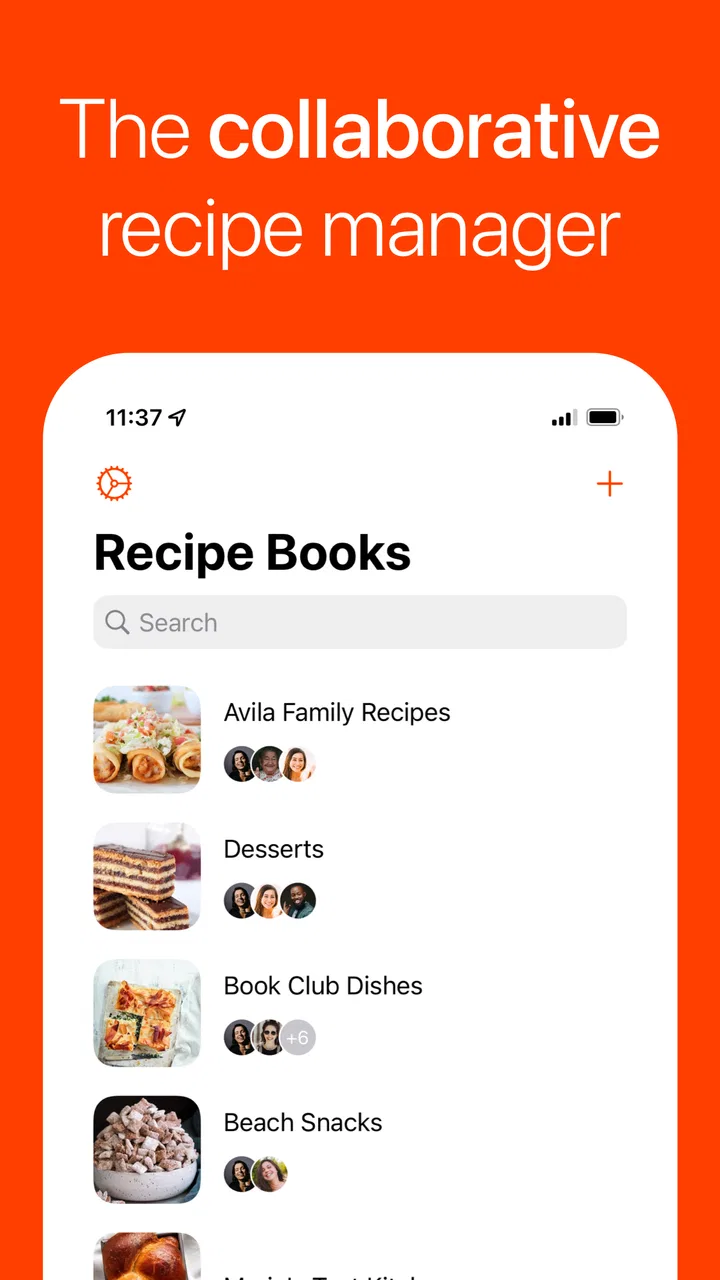
- Supports organizing recipes into a personal collection for quick access.
- Useful search tools help find dishes without scrolling through long lists.
- Recipe details are presented in a clear
- practical format while cooking.
- Suitable for users who prefer a focused recipe manager over social features.
Cons
- Some advanced organization options may feel limited for large recipe libraries.
- The app may require manual recipe entry
- which can take time initially.
- Offline availability may vary depending on how recipes are stored or synced.
- Users seeking meal planning or grocery tools may find the feature set basic.
- The experience may feel too minimal for those wanting videos or cooking guidance.

Umami - Recipe Manager
Gallery